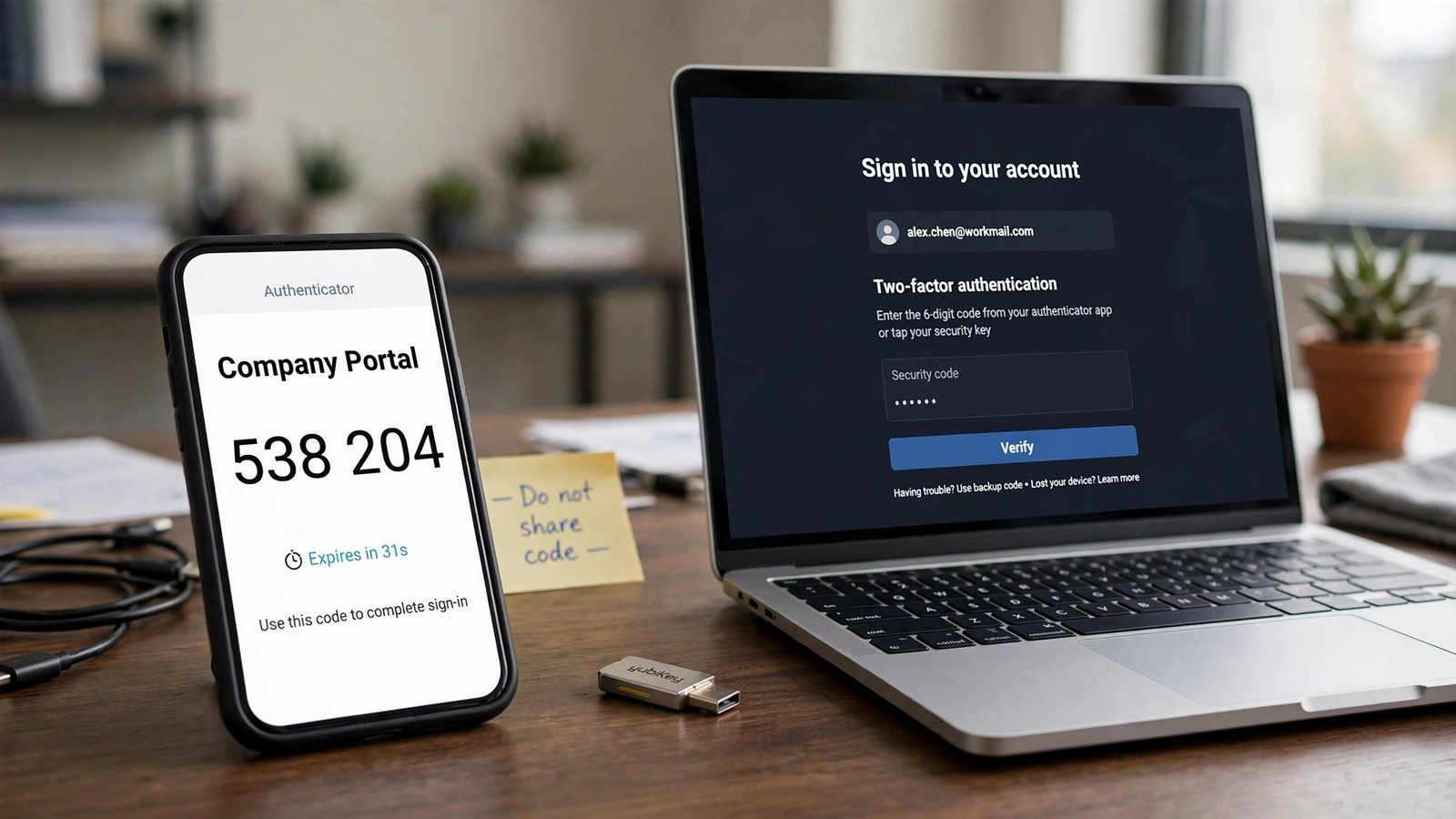
A stolen password is an inconvenience everywhere else; on a crypto exchange it can be the whole account. Two-factor authentication exists to break that chain. A password is something you know, and anything you know can be copied, guessed, leaked, or tricked out of you without your noticing. A second factor is something you have, usually your phone or a physical key, and a thief working from another country almost never has it. With both required together, a leaked password becomes a failed login instead of an emptied account. That single extra step blocks the most common ways accounts are taken over mid-flight: credential stuffing, where passwords leaked from other sites are tried in bulk; phishing pages that copy a real login screen and relay the password you type; and attacks on text-message codes, which travel through the phone network rather than staying on your device. Setting it up properly is one part of a wider habit of care, much like working through how to avoid crypto scams with a five-minute safety checklist before any money moves at all.
The order of the setup matters. The phone has to be secured before the app goes on it, the backup codes have to be saved before anything goes wrong, and the weaker fallbacks have to be switched off afterwards, or the new lock is fitted to a door with the old key still under the mat. Work through the steps in sequence, on a day when nothing is urgent, and test each stage before moving to the next.
Step One: install a reputable authenticator app and secure the phone itself first. Well-known choices include Google Authenticator, Microsoft Authenticator, and Authy, and many people use the authenticator built into a password manager they already trust. Whichever you choose, get it from the official app store and nowhere else, since fake security apps are a known trick. Then look at the phone as a whole, because the app is only as safe as the device holding it. Set a strong screen lock, turn on automatic updates for the system and the app, and remove old apps you no longer recognise. A phone that anyone can pick up and open is not a second factor, it is just a second password written on glass.
Step Two: open the security settings of the exchange account, choose the authenticator option, and scan the setup code shown on screen with the app. That code links the account to the app in a way that lets both sides generate the same changing numbers without ever sending them across the internet. This is the heart of how multi-factor authentication works: the second factor proves possession of the linked device at the moment of login, not merely knowledge of a secret that could have been copied months ago. Keep the setup screen open until the link is confirmed, and do not let the code be photographed, emailed, or shown to anyone helping you. If the exchange offers several methods and lists text messages first, pass over that option and choose the app, because the phone network is the weakest link in the whole arrangement.
Step Three: enter the current code from the app into the exchange to confirm the connection, and watch how the code behaves. You are looking for a six-digit code that refreshes roughly every half minute, calmly replaced by the next one as time passes. Type the code shown at that moment, not an older one you remember, and if it is refused, wait for the next code rather than retrying in a rush. A refusal at this stage is usually a timing matter, since the app and the exchange each run on their own clock, and most apps have a setting that keeps the device clock exact. Once the code is accepted, log out and log back in once, deliberately, so you can feel the new routine while nothing is at stake. That small rehearsal teaches your hands the steps before the day they matter.
Step Four: save the backup or recovery codes the exchange now offers, and save them offline, on paper, with the same care you would give a recovery phrase. These codes are the spare keys to the account. If the phone is lost, stolen, broken, or replaced, they are what stands between you and a long, uncertain recovery process conducted through support tickets and identity checks. Write them clearly, note the name of the exchange beside them without adding your password, and keep them somewhere private and dry, apart from the phone itself. Do not store them in a photograph, a notes app, or an email draft, since each of those copies the keys into places a thief already knows how to search. Treat the paper as part of the account, because anyone holding it holds a way in.
Step Five: turn off text-message fallback wherever the settings allow it, so the weaker method cannot be used to walk around the stronger one. Then look for withdrawal protections and switch those on too. A withdrawal address whitelist means money can only leave the account for addresses you have approved in advance, which blunts the damage even if someone does get in. A withdrawal delay, where offered, adds a waiting period before funds move to a new address, giving you time to spot a warning email and intervene. These settings are easy to skip in the relief of finishing the main setup, and they are worth the extra minutes. A lock is only as strong as the back door left open beside it, and this step is where the back doors get closed.
App codes or a hardware key?
For most people, an authenticator app is the right level of protection: free, familiar, and vastly stronger than a password alone or a code sent by text. A hardware key goes a step further. It is a small physical device, with YubiKey as the standard example most people meet first, that you plug in or tap when you log in. Its great advantage is phishing resistance. A fake login page can harvest a password and can even relay a code you type, but it cannot borrow the physical key sitting in your hand, because the key checks what it is actually talking to before it answers. That difference closes the one door that app codes leave slightly ajar.
Who genuinely needs a key comes down to what the account holds and how likely you are to be singled out. Large balances, accounts used for a business, and people whose work makes them visible targets all argue for the stronger option. So does a history of phishing attempts arriving with your name on them. The costs are practical rather than financial: a key can be lost, so a spare kept somewhere safe is part of the arrangement, and not every service supports keys in the same way. Many careful holders use both, an app for everyday accounts and a key guarding the exchange where the real money sits. Either choice, set up fully, puts you far ahead of a password travelling alone.
The recovery plan is part of the setup
Two-factor protection fails in a quiet, ordinary way far more often than it is defeated: the owner gets a new phone. Before any upgrade, open the authenticator on the old device and move each account across properly, using the transfer feature the app provides or by setting up the new phone while the old one still works. Afterwards, test a login from the new phone before wiping or trading in the old one. The backup codes on paper are the recovery path when a transfer goes wrong or a phone simply dies, which is why they were saved in the first place. Tell a trusted person where those codes live, in general terms, so that illness or accident does not lock the account away from the people who may need to reach it. Recovery arranged in calm weather is an errand; recovery improvised in a crisis is a gamble.
The other recovery threat arrives through the phone number itself. In a SIM swap, a criminal persuades or bribes a carrier into moving your number to a card they control, and every call and text meant for you, including reset codes from other services, lands in their hands. Reading how a SIM swap scam takes over a phone number shows why the defence starts with the carrier: set a carrier PIN or port-out protection on the mobile account, following the direction the Federal Communications Commission gives to consumers, so the number cannot be moved on the strength of a smooth phone manner alone. Be cautious with eSIM changes requested in a hurry, and treat any sudden loss of signal on your phone as a warning worth acting on the same hour, since it can be the first sign the number has gone. The Federal Trade Commission and the Federal Bureau of Investigation have both warned publicly about SIM swapping, and their shared advice matches the shape of the whole setup: protect the number, prefer app codes or keys, and never let a text message be the only thing guarding money.
None of this takes long, and none of it needs to be repeated often. An hour spent securing the phone, linking the app, saving the paper codes, closing the text-message back door, and pinning down the carrier leaves an account that a stolen password can no longer open. That is the whole promise of the second factor, kept properly: the password can leak, the phishing page can look perfect, and the account still asks for the thing only you are holding.